If you're in Cape Coral, Fort Myers, or anywhere in Southwest Florida and still running Windows 10, you're not alone. Windows 10 reached end of life in October 2025 and I'm still seeing it on machines every week. Honestly, I'm not the biggest Windows 11 fan myself, but keeping an unsupported system connected to the internet while doing your banking, paying bills, or storing personal files is a risk that's hard to ignore. You have three options. Let's go through each one.

Option 1: Your machine can upgrade to Windows 11

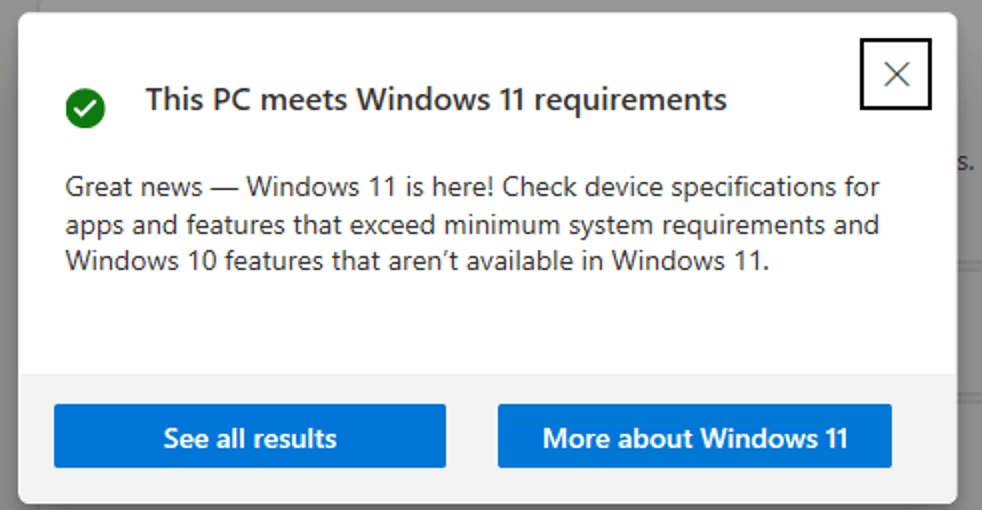
This is the best case scenario. Machines released after 2016-2017 started including a chip called TPM 2.0 that Microsoft now requires to run Windows 11. Download the PC Health Check app from Microsoft and run it. It’ll tell you in about 30 seconds whether your machine qualifies.
https://support.microsoft.com/en-us/windows/experience/compatibility/check-if-a-device-meets-windows-11-system-requirements-after-changing-device-hardware
If it does, go to Windows Update and the upgrade option should appear. Before you start, back up your files. Windows upgrades usually go smoothly but occasionally they don’t, and you don’t want to find out the hard way. The process can take anywhere from a few hours to a full day depending on your machine. Be patient.
After the upgrade most of your settings and files stay right where they were. The interface looks a little different but you’ll adjust fast.
One thing worth knowing: if the Health Check says your PC isn’t compatible because of TPM 2.0 but your machine was made after 2017, the chip might just be disabled in your BIOS settings. Reach out to us with your make and model, or book a quick service call, and we can help you figure that out. And if you’d rather do a clean install instead of an in-place upgrade, our step-by-step Windows reinstall guide walks you through the whole process.
Option 2: Time for a new machine

If your device can’t make the jump, now is a good time to move. With everything happening in tech right now, prices on hardware are climbing and the longer you wait the more you’ll likely spend.
A few things to keep in mind when shopping:
If you’re on a budget, look for a machine where the internal parts aren’t soldered down. This means you can upgrade the storage or memory later without buying a whole new computer. Custom-built desktop PCs are a great option here and give you more flexibility than most laptops.

If you have a little more to invest, don’t overthink it. For a laptop, make sure the processor is no more than a year old and aim for at least 16-24GB of RAM depending on what you use it for. If the device is upgradable you’re in good shape for the next several years.
As for your files and software, moving everything over is very doable. The key is having someone go through it with you to make sure nothing gets lost and everything opens the way it’s supposed to. I’m working on a step-by-step guide for anyone who wants to try the migration themselves, so stay tuned for that.
Option 3: Microsoft Extended Security Updates

Microsoft is offering paid extended support for Windows 10 at around $30 per year. It keeps you covered with security patches a little longer but it is a temporary fix. Prices on hardware and software aren’t going down, so the longer you hold off the more the eventual move will cost.
No judgment here. But you should know the clock is ticking.
Why doing nothing isn’t really an option

I won’t hit you with a cybersecurity lecture. But here’s how to think about it.
An unsupported system connected to the internet is like a port on a remote island. Planes fly over, ships sail past, everything looks normal from the outside. But that port is wide open and you have no control over who comes in. You’re living there with everything that matters to you, your financial info, your photos, your accounts. No security updates means no new locks on the door. We break down what that risk actually looks like in practice in Becoming Aware of Cyber Threats.
If you need help figuring out your next move, that’s exactly what we’re here for. Reach out to ITComp and we’ll look at your situation together.
Andres, Founder of ITComp Computer Solutions. Serving Estero, Bonita Springs, Fort Myers, Naples, and Cape Coral.
Hero Image credit hbroone
Related Articles