Human Written
So, what's an antivirus — and should you have one?

Before we dive in, we put together a short video that breaks down how antivirus software actually works — no tech talk, no diagrams, just a story you'll recognize. Watch it first. It makes everything that follows click a lot faster.
So do you actually need one?

image source Instagram @WEBPARTEEZ
The honest answer in 2026 is yes — and that goes for everyone. Windows users, sure, but also you Apple folks. Yes, you too. macOS is not the fortress it used to be, and malware targeting Mac users has been growing steadily. It’s not a scare tactic, it’s just where things are.
But here’s the thing — the question isn’t really “do I need it.” The better question is: what kind of protection do you actually need?
Don’t think about how often you use your computer. Think about what kind of information is moving through it. Banking. Social media. Email. These are all open connections — data traveling back and forth between your machine and the outside world.
Think of it like a landline phone call with your best friend. While that call is live, if there are no protections in place, outside sources can tap into the line and listen to every word — and neither of you would know it was happening.
Your internet traffic works the same way. Without the right protection, someone positioned to intercept it can quietly read everything passing through — your login credentials, your banking sessions, your messages — without leaving a single trace. The more your computer is part of your daily life, the more there is to lose.
At minimum, we strongly recommend using a reputable malware scanner from a company you can actually trust. That’s the baseline. But choosing the right one means knowing what to watch out for — because even some of the big names have developed a habit of selling you things you don’t need.
A pattern worth knowing about. Some companies have made a habit of sending notifications telling you your computer is “at risk” — not because of any real threat, but because it hasn’t been “tuned up” in a while. You click resolve. You get taken to a page that prompts you to download a tool. That tool scans your machine and finds problems. Those problems happen to require a paid fix. The same software that told you something was wrong is now the one selling you the solution. That’s not protection. That’s a sales funnel with an antivirus logo on it. |

Some companies have leaned into upselling add-ons — VPNs, password managers, “performance optimizers” — that your computer either already handles natively or that you can get from a better standalone tool for free. We’ll be dedicating a future post specifically to the best free and lightweight tools to keep your machine running the way it should, without paying for things you don’t need. The bloat is real, and it adds up fast both on your wallet and on your system’s performance.
Now, which one should you get?

This is where I have to be honest with you — there’s no universal answer, and anyone who tells you otherwise is probably trying to sell you something. Choosing an antivirus is a lot like choosing medication. Not every prescription works the same way for every person, and what works great for your neighbor’s machine might slow yours to a crawl or leave gaps you didn’t expect.
Throughout my career I’ve seen clients running all kinds of setups. Malwarebytes has been a go-to for on-demand scanning — reliable, straightforward, though its full subscription has gotten heavier over the years. Avast has a long track record and a free tier that still does the job for basic protection. And then there’s Microsoft Defender, which deserves its own conversation.
Beyond the brand, the most important question to ask yourself is how much your machine can actually handle. The goal isn’t just protection — it’s protection that runs quietly in the background so your device doesn’t freeze up right when you need it most.
A note on Windows Defender — it’s not as hands-off as people think.
Every Windows machine comes with Defender built in, but out of the box it runs on default settings that won’t catch everything. I recently worked on a laptop that had an active trojan — Defender was running the whole time and never flagged it. It wasn’t until I went in manually and ran a thorough scan that it surfaced. The software was there. The configuration wasn’t.
The version that comes with a Microsoft 365 subscription is a different story — it has its own dedicated setup, more aggressive defaults, and meaningfully better protection out of the box. If you’re already on 365, that’s worth configuring properly before looking at anything else.
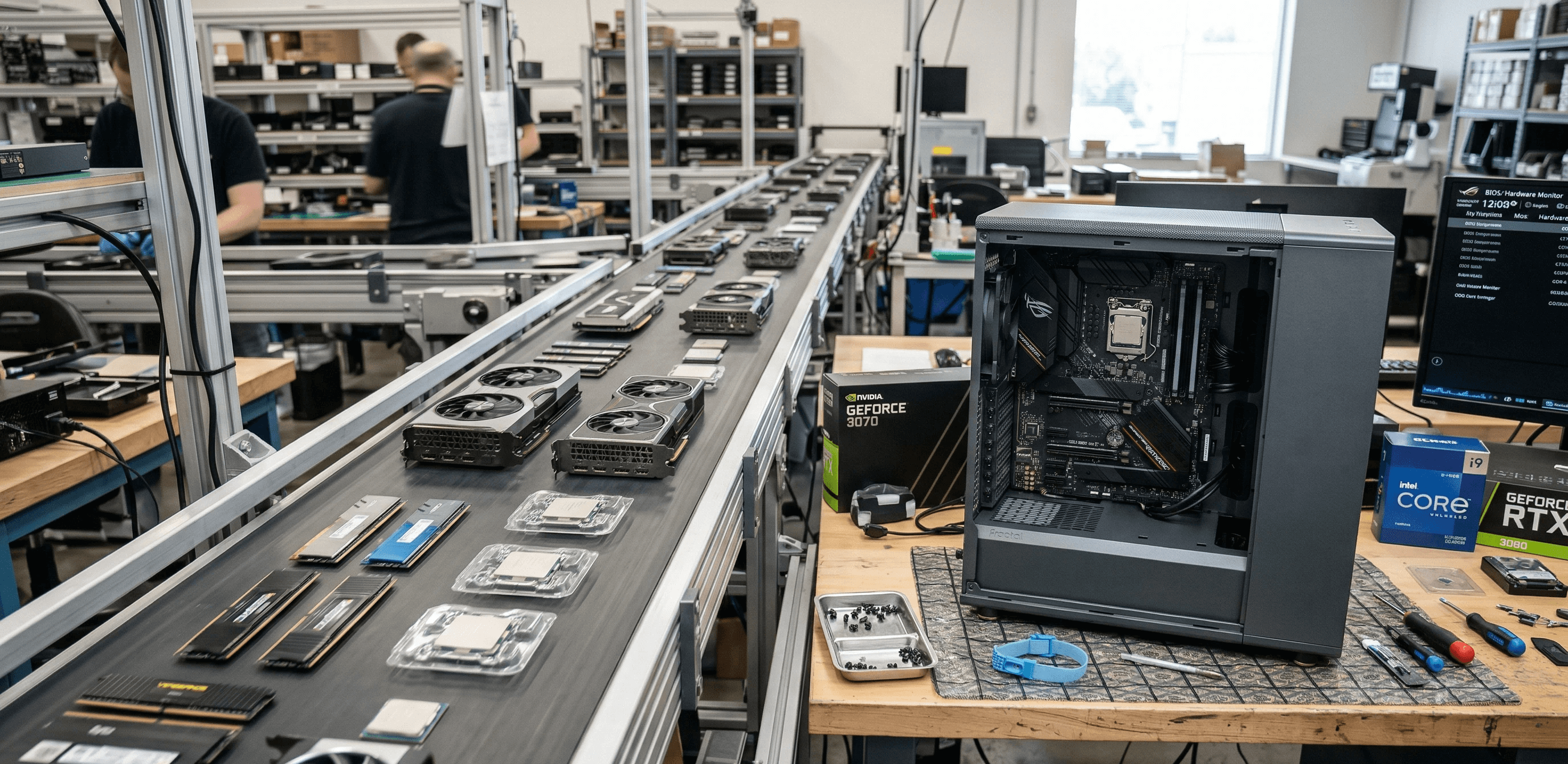
If your machine is slow due to lack of maintenance or aging hardware that can still be upgraded — get it serviced first, then revisit your AV options. Most mainstream solutions will work fine once the machine is running the way it should.
If no upgrades are possible and the device is just older, built-in Windows Defender configured correctly is a reasonable baseline. It won’t be perfect and may cause some slowdowns during scans, but it’s better than nothing and it won’t cost you anything extra.
If your machine runs well and performance isn’t a concern, most reputable mainstream providers are on the table. The thing to research before committing is how resource-hungry the software is at idle — that’s what you’ll feel day to day, not just during scans.
A practical way to do that research: take your device model, your current specs, and the software you’re considering and ask a chatbot of your choice something like — “I have a [device model] running Windows 11 with an AMD Ryzen AI 400 series CPU and 32GB of memory. I want to install [software name] for malware protection. My main concern is performance impact. How will this affect my machine?” You’ll get a more useful answer than any product marketing page will give you. |
And regardless of which software you choose — remember this. Every antivirus becomes useless without proper user awareness. The best protection you have is knowing when something feels off. When not to click. When to close the window. When to drop the connection. Software catches a lot, but it doesn’t catch everything, and the ones that get through are almost always the ones that counted on you not paying attention. We go deeper on building that awareness in Becoming Aware of Cyber Threats.
What about businesses?

If you’re managing a fleet of computers — even a small one — the conversation changes significantly. Most businesses we work with have machines in different states: some newer, some older, some running demanding software, some barely used. That mix creates fragmentation, and fragmentation creates gaps in your security coverage that are easy to miss until something goes wrong — the exact pattern we cover in Cybersecurity Tips for Naples Small Businesses.
For businesses, the best direction is almost always a lightweight cloud-based endpoint security platform rather than traditional installed AV. Solutions like Huntress, Webroot, or similar managed security tools give you centralized visibility and control over every device in your environment from a single dashboard — without the performance overhead of legacy software running heavy on each machine individually.
The reason control matters so much in a business context comes down to response time. When something gets flagged or something goes wrong, you need to be able to act immediately — adjusting configurations, isolating a device, running a targeted scan. Waiting hours for a software vendor’s support line to call you back while a threat sits active on your network is not a position any business should be in. Every hour of exposure is a recovery cost you didn’t budget for.
This is where partnering with an IT service provider makes a real difference.
Beyond the managed oversight and faster response, businesses like ITComp have access to software marketplaces at discounted rates — which applies to both business solutions and end-user licenses. You get enterprise-grade protection at a price that makes sense, without having to navigate the vendor landscape on your own.
Whether you’re a solo user trying to figure out what’s already on your machine, or a business owner realizing your current setup has more gaps than you thought — the first step is the same. Know what you have, know what it’s actually doing, and don’t assume that because something is installed it’s protecting you. If you want us to take a look at your setup directly, book a service call and we’ll go through it together.
Coming up next: Now that you know what antivirus software does and what to look for, the next question is how to set it up so it actually works for your machine — not against it. In our next post we’ll walk through how to configure your AV for the best balance of protection and performance, so your device stays protected without freezing up right when you need it most. |
Related Articles