Human Written
Sometimes when you start up your day and you expect everything to work, there are moments where some weird behavior on your PC catches you off guard. The mouse cursor moving on its own, blue screens out of nowhere, alert pop ups telling you to tune up your PC otherwise it becomes "corrupted." Yeah, we have seen those constantly and most of the time the initial root cause is a little piece of software that somehow ended up installed on your computer without you even noticing.
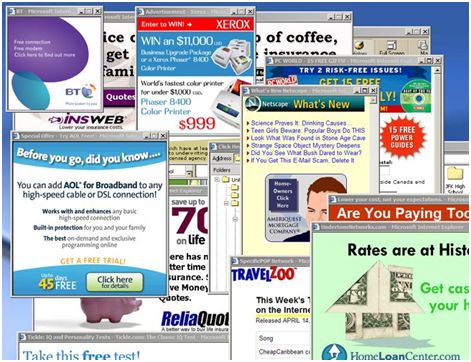

These tools come with automated wake up routines that keep them running in the background. This way the program can present itself in different ways but always leading you toward the same goal, making you pay while collecting your data. A lot of these tools collect data indiscriminately without telling you exactly what or why. That right there is one of the ways they generate revenue. And now with MicroSlop being a data harvesting machine every day with Windows 11, it feels like everyone is in on it. For context, MicroSlop is what the internet has been calling Microsoft lately, a nod to the frustration around the company forcing AI tools like Copilot into Windows 11 while quality and usability take a back seat. The difference is MicroSlop at least recently started listening to user discontent and has plans to make changes. PUPs? They answer to nobody.

Here is something worth knowing though. Your modern computer already comes with the tools to handle most of this on its own. Windows and macOS both include built in cleanup and maintenance routines that run automatically, either on a schedule or every time your device restarts. This is actually one of the reasons why on Windows specifically you want to choose Restart instead of Shutdown when you are done for the day. Shutdown on Windows suspends the system state to make the next boot faster but it skips a lot of the maintenance processes that a full restart actually triggers and completes. A proper restart lets Windows do its job. You can also run these tools manually or have an administrator handle it. The point is your operating system already has this covered, which means any third party program showing up and offering to do the same thing is not essential, it is just hogging your system resources, slowing your device down and helping itself to your data in the process. You do not need it. Your OS already handled it.
Not every PUP needs you to click install. Some ride in through browser extensions you already trust. A developer sells their extension, the next silent update flips it into adware, zero notice. Some come through compromised sites running scripts the moment your outdated browser loads the page. No prompt. No decision required. So “if you’re not sure, don’t install it” only covers part of it. Every file you open, every site you visit, every app you haven’t checked on in a while is a door. Open or closed depending on how much attention you’re paying.
And here is something that does not get talked about enough. Not every PUP out there is trying to destroy you on purpose. Some of them genuinely started as tools with no bad intentions. The problem is they were never built to current security standards, poorly coded, outdated, not maintained, and full of gaps that other threats know exactly how to walk through. So even the ones that mean no harm can still leave your device exposed to something that does. Good intentions do not patch bad code.
Even if you are not worried about your data being shared, consider what exactly is being shared. And if you are still not concerned, open your program files and take a look around. Something may already be living in there. Research confirms there is no 100% safe way to keep your PC completely clean and PUPs are experts at bypassing antivirus software — worth a read if you want to understand what your antivirus actually does and doesn’t catch. The projected global cost of cybercrime is on track to reach $13.82 trillion by 2028 and PUPs are a key part of how attackers get in.

And that is not just accounting for your personal data, that is also your business data. If you are unsure of what a PUP means for you personally, just imagine your employees. Yeah. Every device connected to your business is a potential entry point and 80% of small businesses experienced at least one cyberattack in 2025 — a trend we dig into further in Cyberattacks Are on the Rise: Should You Be Worried? PUPs are frequently how those stories start.
But then you wonder, how the heck do I even know when a PUP has invaded my system. Well right now it is a little difficult to point fingers at a single brand because PUPs are like frogs during breeding season, when you least expect it the pond is already full of tadpoles of every kind. The best direction here is not a checklist of things to avoid but a shift in how you think about your device. Start asking, do I recognize everything running on here? Did I put this here? Does this actually need to be on my machine?
Here are some places to start looking.
Windows | macOS |
|---|---|
Go to Settings, then Apps, then Installed Apps. You will find the usual suspects there, Chrome, Microsoft Office, your printer software, things you recognize. But anything that sounds vague, generic, or just slightly off from common branding is worth a quick search before you dismiss it. Names like “PC Optimizer Pro,“ “Search Manager,” or anything that sounds like a knockoff of a real tool are worth investigating. | Open the System Information app, click on Applications in the left sidebar, and take your time scrolling through what is listed there. That view gives you a solid breakdown of everything installed, who developed it, and when it was last modified. Anything unfamiliar or unsigned by a known developer deserves a second look. |
Beyond that, check your browser extensions in whatever browser you use daily. Go into the extensions or add-ons settings and ask yourself honestly, did I install this? Do I use it? If the answer to either is no, it goes.
And then there is the downloads folder. Oh the downloads folder. From my experience working with people’s computers, that folder is almost always a graveyard of forgotten installers, random files from three jobs ago and software that got downloaded once and never touched again. Now I get it, sometimes you genuinely need to hold on to something in there because during a data transfer or a system migration there might be a specific legacy installer that you need and by some miracle of the computer gods it has survived in that folder for ten years untouched. That one stays. But everything else that has no clear purpose needs to go. Old installers, expired setup files, bundled software packages you never actually opened, all of it is worth reviewing regularly. That folder is one of the most overlooked entry points for PUPs to just sit quietly and wait.
The goal is not to be paranoid. It is to be someone who actually owns their device instead of just using it. PUPs thrive in the gap between “I set this up once” and “I have not thought about it since.” Close that gap and you take away most of what they need to survive. If you would rather have someone else go through it with you, book a service call and we will handle the cleanup.

Related Articles


